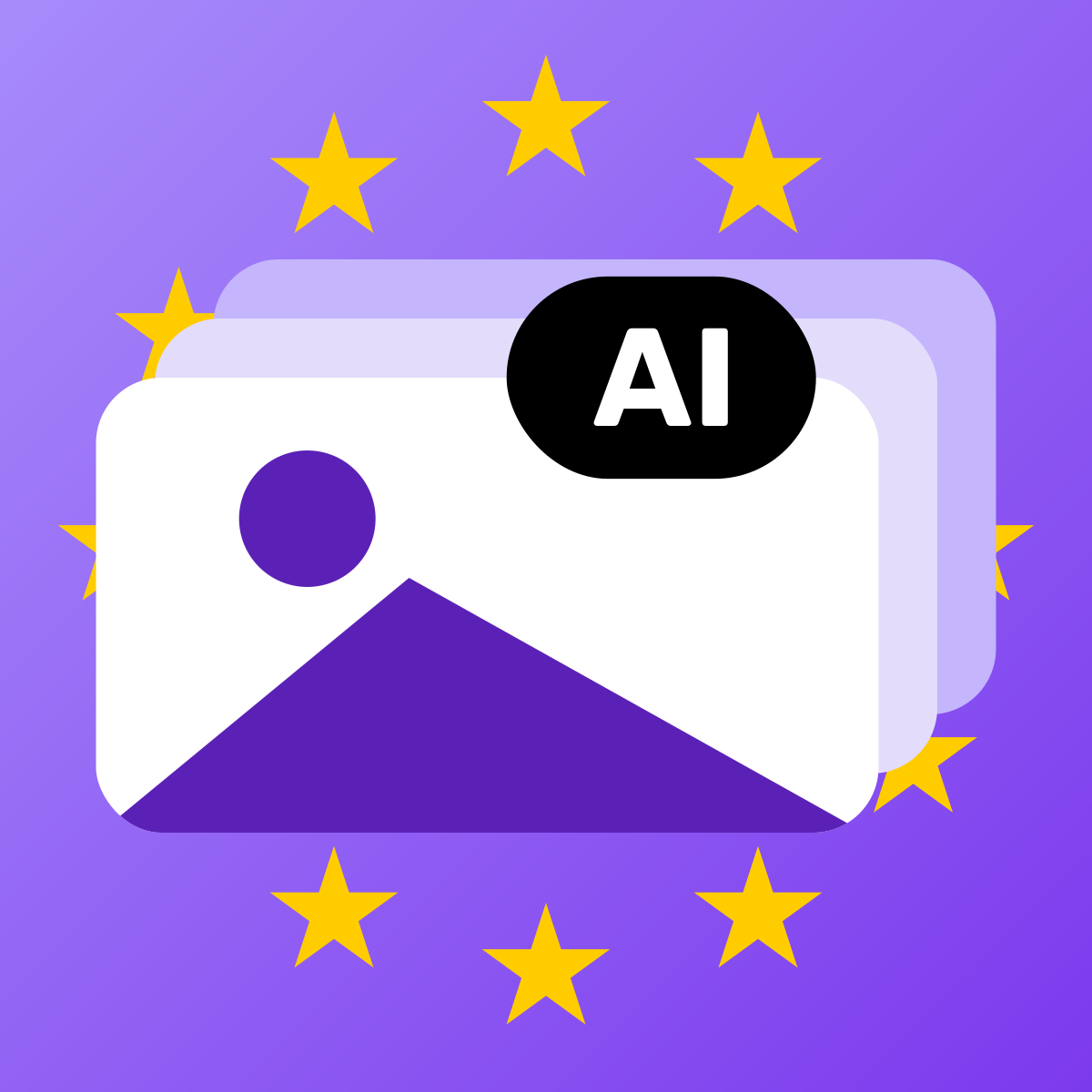
The European Commission provides three labelling icons: the basic “AI” icon, “AI GENERATED” for fully AI-generated content and “AI MODIFIED” for AI-altered content, each in four colour variants, free to use without attribution and only with English wording (page version of 24 September 2026). In your store, the icon belongs on every affected image, visible without a click (the Code of Practice names, for example, the top right corner free of overlapping elements) and with a text alternative for screen readers; the Code names an overlay in the theme as an equivalent alternative to an embedded icon. Ads, marketplaces and social media need an image version with the icon burned in, because the overlay does not leave the store.
Since 2 August 2026, deployers have had to visibly disclose AI images that look real as artificially generated or altered (Article 50(4) of the AI Act, Regulation (EU) 2024/1689). If you use a ready-made AI tool for store images, you are a deployer; the machine-readable marking under Article 50(2) is owed by the provider of the generator, not by the store. The Digital Omnibus (Regulation (EU) 2026/1744) left Article 50(4) and (5) unchanged; it rewrote paragraph 7 and gave providers of generators placed on the market before 2 August 2026 until 2 December 2026 to comply with paragraph 2 (Article 111(4) as amended). Stores get no such deadline. Examples with real AI images: AI generated label examples. All duties are summarised in EU AI Act labelling requirements.
The regulation does not say what the label has to look like. The European Commission, however, offers its own icons, which form part of Section 2 of the Code of Practice on Transparency of AI-generated Content of 10 June 2026. This guide shows which variants exist, what the Commission says about language and use, which icon fits which image, and how it works on product images, in ads and for screen readers. It is based on the Commission’s icon page (page version of 24 September 2026, accessed 30 September 2026), the AI Act, the Commission guidelines C(2026) 5054 final of 20 July 2026, and the Code.
Which EU icons are there?
The Commission provides three icons. Each comes in four colour variants: black, white, black with 50 per cent transparency and white with 50 per cent transparency, each as an SVG and a PNG package (twelve files each).
| Icon per the Commission | Wording | When to use, per the Commission | Commission examples |
|---|---|---|---|
| Basic icon | AI, in a circle | AI was involved in creating a deepfake, or a custom text label or an interactive second layer sits next to it | Video with the text “voices generated with” followed by the basic icon |
| Fully AI-Generated | AI GENERATED | The content is fully generated by AI with no human-created elements, apart from prompting | Fully AI-generated deepfake videos with politicians or fictional events |
| Partially AI-Modified | AI MODIFIED | Pre-existing, human-made content was partially modified with AI, turning it into a deepfake | A face swapped in an authentic photograph; authentic photographs of an empty flat furnished using AI |
The file names carry the wording, for example “LABEL_AI GENERATED_black.png”. According to Annex 1 of the Code, the icons were user-tested in several Member States: the variants with a text label performed significantly better on noticeability and clarity, and respondents said explicit text reduced ambiguity. That is why the Code includes the two worded variants alongside the basic icon.
Are the icons available in other languages?
No. Official files exist only with English wording. The icon page can be opened in all EU languages, but the German and French versions are machine translations (with a notice pointing to the eTranslation service) and link to the same two packages (checked on 30 September 2026). The German machine translation even writes “KI” (the German abbreviation) in one place where the English original says “AI”; the original is what counts.
The language rule sits in the Code, Measure 1.1(a): the main element of the icon is the capitalised acronym “AI” in English, unless use of English is incompatible with national laws on the use of languages in commercial or administrative matters; in that case the acronym may appear in the national language. The word after it (“generated”, “modified”) is only encouraged under point (b), and the Code sets no language for it. A translation of the word is therefore not ruled out, but it is not an official file and has not been reviewed by any authority (interpretation, not an official position).
The AI Act itself contains no language rule. The benchmark is Article 50(5): the information has to be clear and distinguishable; the guidelines require that it is easy to understand for the persons concerned (para. 142) and look at the expected audience (para. 114).
- Wettbewerbszentrale (German Centre for Protection against Unfair Competition, guide version 2.0, as of 29 July 2026): companies should check whether German wording with “KI” instead of “AI” is needed. The less tech-savvy the audience, the more likely; when in doubt, it recommends German terms.
- France: the Loi Toubon requires French in the offer, presentation and advertising of goods and services; translations alongside are allowed. Whether it covers a label on a product image has not been decided (as of 1 October 2026). France, Poland, Italy and Spain in detail: Which language does the AI label have to be in?
Which language your audience understands is your decision for your target markets.
May you use the icons freely?
Yes. The Commission page says in its “Licence” section: “These icons are made publicly available for everyone to use freely, without the need for attribution to the Commission or the AI Office.” So no attribution is needed. The same section adds two points: signatories of the Code should use the icons in line with its placement specifications, and use by non-signatories should not be construed as signalling adherence to the Code. The page names no further licence terms.
The icons are optional, the obligation is not: “The use of these EU icons is optional, but the labelling requirements under Article 50 AI Act are not.” The Commission adds that using the icons does not by itself mean a label meets Article 50; the deployer remains responsible. The Code also provides for an equivalent icon or label of your own (“equivalent icon or label”), and the Wettbewerbszentrale sees room for the deployer to decide on wording, symbols, placement and size.
On design, the Code sets two requirements (Measure 1.1): the letters of “AI” have the same height, and their proportions are preserved when resized (point (a)). Size and style, such as contrast, colour or typography, may vary as long as the label remains clear, accessible and distinguishable (point (c)). Neither the Code nor the Commission page sets a minimum size in pixels or per cent; the page recommends a clearly visible size.
Which icon fits which image?
Only images that count as deepfakes need an icon: they resemble a person, an object (expressly including consumer goods), a place or an event and would falsely appear to be authentic (Article 3(60) AI Act, Guidelines para. 113). Which image types in a store fall under this is covered in the guide Which Images in Your Store Need an AI Label?. For choosing the icon, one question matters most: was there a real source photo?
| Starting point | Icon | Basis |
|---|---|---|
| No source photo, the image comes from the prompt | AI GENERATED | Commission page: fully generated by AI, apart from prompting; Code Annex 1 |
| Real photo, altered by AI so that it looks real but is no longer accurate: AI model with a real product, changed colour or details of the product | AI MODIFIED | Commission page: pre-existing content partially modified with AI; Guidelines para. 59 |
| Real photo, standard editing only: colour correction, upscaling, background for clearly aesthetic purposes, arrangement of existing products | no icon | Guidelines para. 116, subject to the individual case |
| A text next to the image already says what the AI did, such as a caption | basic “AI” icon possible | Commission page: basic icon with a custom text label |
The guidelines define the two terms in the context of the provider obligation under Article 50(2): generation is the production of synthetic material, for example from a prompt (para. 58); manipulation concerns existing content altered by an AI system, and content mixed with human-created material also counts as synthetic (para. 59).
Two rules of thumb, by interpretation and not an official requirement:
- If the AI changes how the product itself looks, use at least AI MODIFIED. If it only changes the surroundings of a product shown unchanged, para. 116 usually applies and no icon is needed.
- If you are unsure whether enough of the source photo remains, choose AI GENERATED, the stronger disclosure.
The basic icon on its own is the weakest variant, because it leaves open whether content was generated or altered. If the image stands without explanatory text, the word belongs in the icon. The Commission’s AI MODIFIED example, the empty apartment furnished using AI, is placed in context for virtual staging in the guide AI images in furniture and home stores.
Where does the icon go on a product image?
Article 50(5) of the AI Act requires the information to be provided “in a clear and distinguishable manner at the latest at the time of the first interaction or exposure”. The guidelines add:
- Clear means noticeable, easy to understand and accessible, including for persons with disabilities; distinguishable means easy to identify as separate from other information and the environment (para. 142). A notice buried in menus or terms of use is not enough.
- The obligation applies to each image with respect to every person who sees it (para. 143). The icon therefore belongs wherever the image appears: product gallery, collection, home page, search.
- The disclosure has to be perceivable without technical tools and without any dedicated action, which is why metadata in the file is not enough (para. 117).
The Code of Practice goes into more detail (Section 2, Measure 1.2). It binds only signatories, but for everyone else it is the most detailed guidance on placement. The right-hand column is interpretation:
| Code requirement | Reference | What it means on a product image |
|---|---|---|
| Immediately recognisable, without user (inter)action or sustained attention | Sub-measure 1.2.1(a) | no tooltip, no hover, not only in the zoom view |
| Visible long enough to be noticed under normal exposure conditions | 1.2.1(b) | keep it permanently visible on still images |
| Directly embedded in the content, unless equivalent alternatives exist, such as a user interface overlay that appears to viewers to be on the content | 1.2.1(c) | an overlay in the theme is equivalent in the store |
| Clearly perceivable at the latest at first exposure, with spacing to other overlays and visible against any background | 1.2.1(d) | no overlap with sale badges or wishlist icons; light or dark variant to suit the image |
| In a place where no intervening overlay elements exist, for example the top right corner of an image | 1.2.2(a) | top right as the default, provided nothing else sits there |
Whether a label is sufficient remains a case-by-case question. The Code itself states that adherence is not conclusive evidence that the obligations under Article 50(4) and (5) are met (Section 2, objective (a)). What signing brings and how to check yourself without signing is covered in The EU Code of Practice on AI labelling.
What applies to images that leave the store?
An overlay in the theme stays in the store. If someone downloads the image, or it ends up in an ad, on a marketplace, on social media or in a newsletter, the label is missing there.
- Commission page: its summary says the icon must be visible when content is reshared or downloaded. The page describes itself as a summary, not a complete overview.
- Code: it is phrased more softly. Signatories aim, to their best effort, to take the distribution and dissemination chain into account, and are encouraged to collaborate with publishers, online platforms and retail so that the label is preserved (Sub-measure 1.2.1(c) and the paragraph after it).
- Guidelines: deployers in distribution chains should take proportionate measures so that the label reaches the audience, for example through contractual conditions with distributing partners (para. 12). Platforms that only disseminate content are not deployers; they are only encouraged to preserve labels (para. 16).
In practice this means:
- In the store: an overlay on the image, the image file stays unchanged.
- Outside the store: a separate image version per channel with the icon burned in. There is no explanatory text next to it there, so the worded variant (AI GENERATED or AI MODIFIED) belongs in the image, not the basic icon alone. The free AI Label Generator creates such a version in the browser, without an upload.
- The original file stays without a burned-in icon, so you can derive a suitable version for each channel.
- Check platform rules: some marketplaces do not allow text in the main image. Details per platform, as of 1 October 2026, in the guide AI images on marketplaces and in ads.
Responsibility stays with you. The Wettbewerbszentrale recommends your own labels where a platform’s labelling options are not clear enough, and states that under the AI Act the deployer, not the platform, is responsible for its own generated media (guide version 2.0, as of 29 July 2026).
How do you make the icon accessible?
Article 50(5), second sentence, of the AI Act requires the information to conform to the applicable accessibility requirements. The guidelines refer to the existing rules, for example Directives (EU) 2016/2102 and (EU) 2019/882; you have to assess yourself whether your store falls under them, and Article 50 imposes no additional requirements (para. 144).
For the icons, the Commission page recommends: a clearly visible size, plain language without jargon and without abbreviations other than “AI” in any accompanying label, and, where possible, readability for assistive technologies through alt text or ARIA labels stating that the content is AI-generated or manipulated. The Code requires signatories to provide high-contrast icons, screen-reader compatibility and detectability by assistive technologies (Measure 1.1), and encourages WCAG 2.1 or EN 301 549 for this.
For your store, this means:
- An icon made only of pixels, whether burned in or shown as a graphic without a text alternative, does not reach a screen reader. The overlay therefore needs readable text, for example via
aria-label, or the product image’s alt text names the AI origin, for example “AI-generated: …”. - Alt text alone is not enough, because sighted viewers do not see it (para. 117, Code Sub-measure 1.2.1(a)). It complements the visible icon, it does not replace it.
- The same applies to image versions with a burned-in icon: where the channel allows an image description, the AI origin belongs there too.
How do you put the icon into practice in your store?
Three approaches that complement each other:
| Approach | Strength | Limit |
|---|---|---|
| Overlay in the theme (CSS or app block) | the image file stays unchanged, switching the icon is quick; under Code Sub-measure 1.2.1(c) equivalent to an embedded icon | does not travel with the image when it leaves the store |
| Burn the icon into the file | stays in place on download and sharing | changes the image for every channel; one file per icon and language; possible conflict with marketplace image rules |
| Caption at the image, optionally with the basic icon | no image editing | has to be clearly assigned to the image and visible without expanding anything (benchmark para. 142) |
The combination often works best: an overlay in the store, a burned-in version for the channels outside it. Which approach works for which channel: AI label: overlay or burned into the image?
One implementation of the overlay approach is the Shopify app Easy AI Act Image Labels. It reads provenance markers on the original, proposes a label for images with a marker and, once you accept it, shows the EU icon on the image through an app block in the theme, by default in the top right corner on product pages. Image files, alt texts, products and theme code stay unchanged; the label carries readable text for screen readers. In English, the app shows the Commission’s unchanged files; the word in other EU languages is a translation by the app’s provider, not an official file. It sets no label in ads, on marketplaces, on social media or in emails; there you need the burned-in version. Images without a marker are yours to sort, and which image gets which icon remains your decision and your responsibility as the deployer.
Frequently asked questions
Are the EU icons available in other languages?
No. The Commission provides the icons only with English wording (AI, AI GENERATED, AI MODIFIED); the German and French versions of its icon page are machine translations that link to the same files (accessed 30 September 2026). The Code of Practice sets the abbreviation “AI” in English unless national language law rules this out. A translated word after “AI” is not an official file; for German-speaking audiences, the Wettbewerbszentrale recommends German terms when in doubt.
Do I have to use the EU icons?
No. The Commission writes that the icons are optional, while the labelling requirements under Article 50 of the AI Act are not. The Code of Practice allows an equivalent icon or label of your own; it has to be clear and distinguishable and perceivable at the latest when someone first sees the image (Article 50(5) AI Act).
May I change the colour and size of the icon?
The Commission offers four colour variants: black, white, and both semi-transparent. Under the Code, size, contrast, colour and typography may vary as long as the label stays clear, accessible and distinguishable; the letters of “AI” keep the same height and their proportions when resized (Measure 1.1(a) and (c)). Neither the Code nor the Commission page sets a minimum size in pixels or per cent.
Is the icon enough in the alt text or as a tooltip?
No. The disclosure has to be perceivable without technical tools and without any dedicated action (Guidelines para. 117), and under the Code immediately and without user interaction (Sub-measure 1.2.1(a)). Alt text or an ARIA label belongs alongside it for screen readers, but it does not replace the visible icon.
Do I have to burn the icon into the image file?
Not necessarily in your store: the Code names a user interface overlay that appears to viewers to be on the image as an equivalent alternative to an embedded icon (Sub-measure 1.2.1(c)). Images that leave the store, for example in ads or on marketplaces, do not take the overlay with them; for those you need a separate version with the icon burned in, and you should check the platform’s image rules first.
Does using the icons make me a signatory of the Code?
No. According to the Commission, use by non-signatories should not be construed as signalling adherence to the Code, and the icons alone do not mean that a label meets Article 50 of the AI Act. The deployer, that is you, remains responsible for the disclosure.
Sources
- European Commission, EU icons for labelling AI-generated content (page version of 24 September 2026). digital-strategy.ec.europa.eu (accessed 30 September 2026)
- European Commission, German version of the icon page (machine translation via eTranslation). digital-strategy.ec.europa.eu (accessed 30 September 2026)
- European Commission, EU icons as SVG package (12 files: AI, AI GENERATED, AI MODIFIED, each in four colour variants). ec.europa.eu (accessed 30 September 2026)
- European Commission, EU icons as PNG package (12 files). ec.europa.eu (accessed 30 September 2026)
- Regulation (EU) 2024/1689 (AI Act), CELEX 32024R1689, Article 3(60), Article 50. publications.europa.eu (accessed 30 September 2026)
- Regulation (EU) 2026/1744 (Digital Omnibus on AI), CELEX 32026R1744, Article 1 points 20 and 39(b). publications.europa.eu (accessed 30 September 2026)
- European Commission, Guidelines on the implementation of the transparency obligations under Article 50 (Annex to C(2026) 5054 final, 20 July 2026), paras. 12, 16, 58, 59, 113, 114, 116, 117, 142 to 144. ec.europa.eu (accessed 30 September 2026)
- Code of Practice on Transparency of AI-generated Content (10 June 2026), Section 2, Measures 1.1 and 1.2, Annex 1. ec.europa.eu (accessed 30 September 2026)
- Wettbewerbszentrale (German Centre for Protection against Unfair Competition), guide on labelling AI-generated content, version 2.0, as of 29 July 2026, section 5 (German). wettbewerbszentrale.de (accessed 30 September 2026)